Time-Based Email Templates
Administration > System Setup > Email Templates
Three time-based templates--Class Payment Due Reminder, Rental Payment Due Reminder and Membership Payment Due Reminder--have been added to the Email Templates page in System Setup:
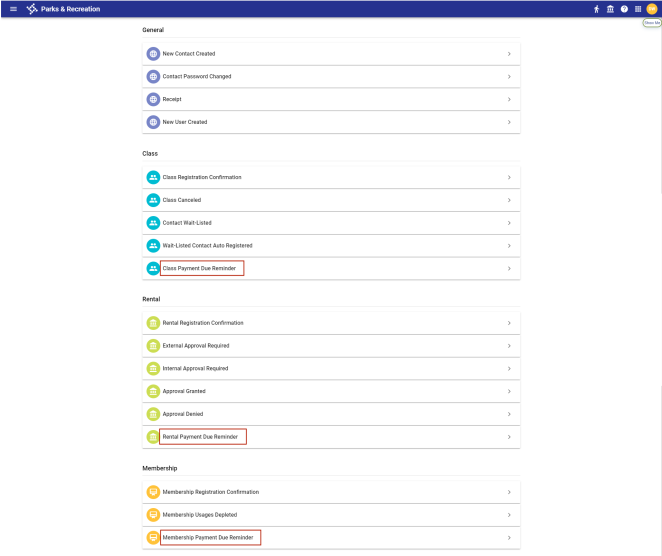
These reminders are sent based on a schedule you determine, not on specific user actions.
Each time-based template contains an Automation Schedule panel for setting up the times when reminders are sent:
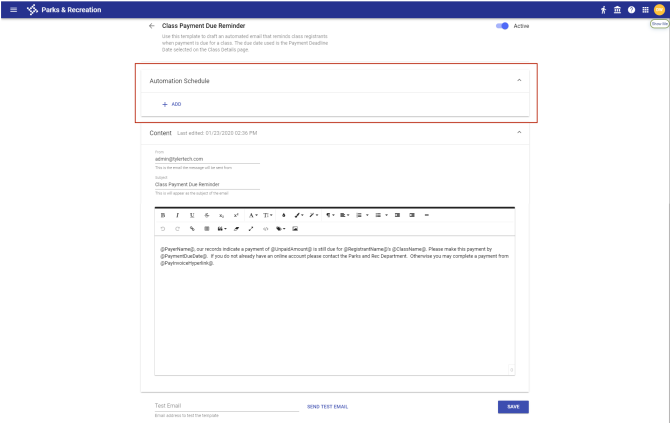
To schedule a time for the email reminder to be sent, click the + ADD button in the Automation Schedule panel. In the field that displays, select the number of days before the payment deadline to have the email sent:

Continue to click the + ADD button to add as many reminders as you need, and click SAVE when you are finished:
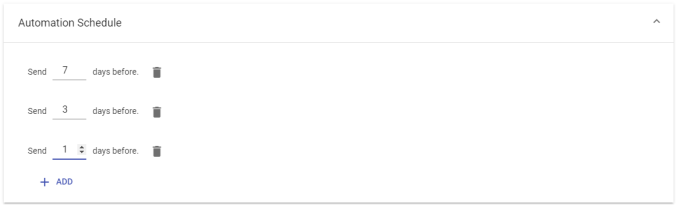
By default, email reminders are sent at 10 a.m. on the days corresponding with the automation schedule.
To delete a reminder, click the trash can icon  next to it.
|
Templates |
||
|---|---|---|
|
Name |
Function |
Trigger |
|
Class Payment Due Reminder |
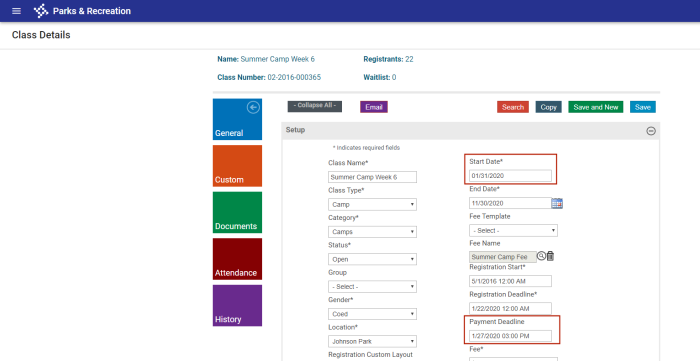
Reminder to registrants who have signed up for a class using the Pay Later feature and, before the start of the class, still have a balance due. Note: Registrants with a balance due show a Status of Invoiced or Partially Paid in the |
Payment Deadline Date selected on the |
|
Rental Payment Due Reminder |
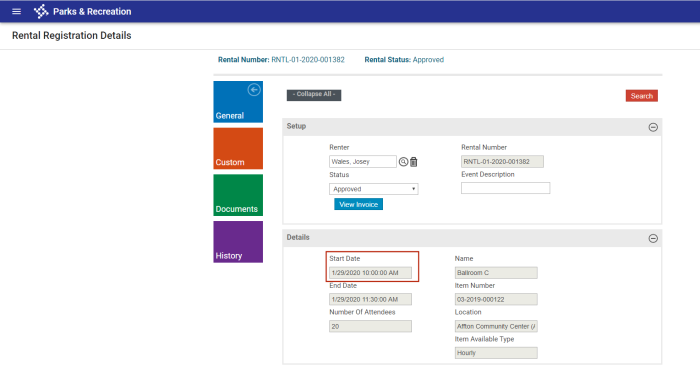
Reminder to registrants that payment is due for a rental. |
Start Date selected on the |
|
Membership Payment Due Reminder |
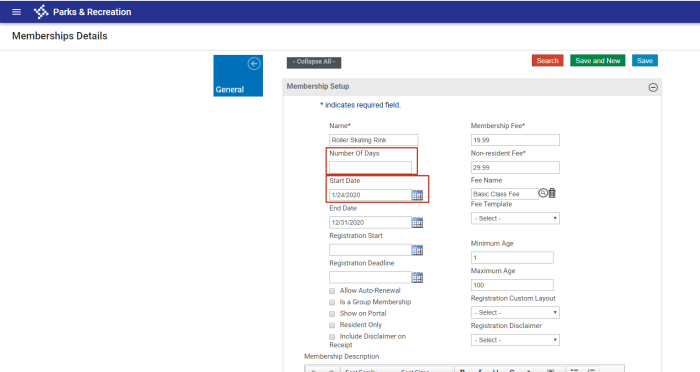
Reminder to membership holders that payment is due for a membership. |
Start Date or the first day calculated from the Number of Days selected on the |
 Registrants section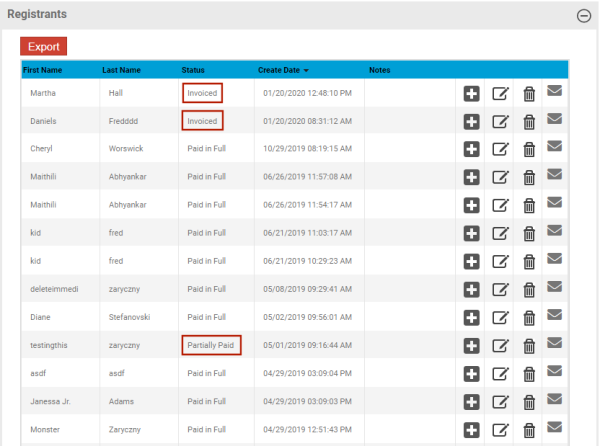
The Content panel of each template is the standard panel for all time-based and event-based templates. For information on the Content panel or email templates in general, including the use of Custom Tags, see the Email Templates help topic.